

Domotz Agent Installation Ubuntu
You can easily download the Domotz Agent from the SnapCraft store:
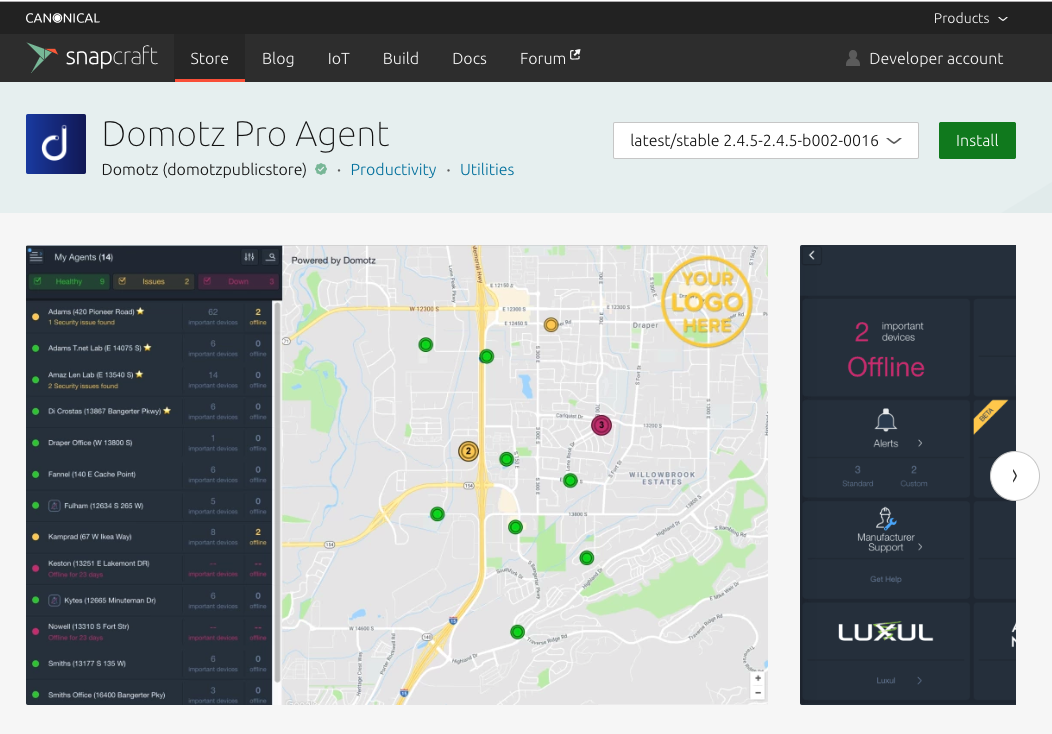
Snapcraft Domotz Pro Agent Installation and Overview
1. At the top, locate the "Install" button to download the Domotz Pro Agent. Ensure the version is set to "latest/stable 2.4.5-2.4.5-b002-0016."
2. The left panel lists your network agents with status indicators: "Healthy," "Issues," and "Down." Each entry shows the agent's location and number of security issues or offline devices.
3. The central map displays agent locations with color-coded markers corresponding to their status. Use this to identify the geographical location of network issues.
4. The right panel provides a summary of important devices, highlighting those that are offline. Access alerts and manufacturer support through the available options.