
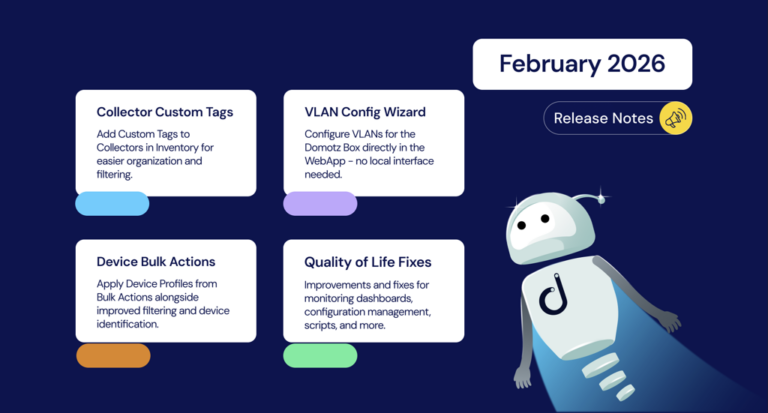
February brings a solid round of updates focused on streamlining your workflows and expanding visibility across your network environments. Highlights include Collector Custom Tags in Inventory, a new VLAN Configuration Wizard for the Domotz Box, and the ability to apply Device Profiles directly from the Bulk Action panel. We’ve also improved weekly reports, expanded integration script flexibility, and delivered a range of fixes across the platform.
Questions about something you see or need some guidance? Reach out to us at support@domotz.com. Let’s get started.
New Features and Integrations
Collector Custom Tags in Inventory
You can now add Custom Tags to Collectors directly within the Inventory view, giving you more flexibility to organize and filter your environment.
VLAN Configuration Wizard for Domotz Box
A new VLAN Configuration wizard is now available for Domotz Box directly in the WebApp—no need to access the local Collector web interface.
Improved Weekly Reports
Weekly reports have been enhanced to support Managed Devices.
Public API Enhancement
The Collector Interfaces Public API has been extended to return the discovered VLAN ID.
New MIB Support
- Zyxel XMG1915 switches
New SNMP Pre-Configured Sensors
- UniFi AP SSID and Radio Monitoring
Improvements
Device Bulk Actions and Identification
- Device Profiles can now be applied directly from the Bulk Action panel
- The Devices List now groups devices by Device Type by default if no previous setting was defined
- Improved visibility of applied filters on the Devices List
- Improved device identification accuracy
Integration Scripts Enhancements
- Added automatic script retry mechanism before disabling due to failure.
- Script running frequency can now be set as low as 2 minutes (requires a Collector running on Windows, Linux Snap, Domotz Box, or Docker platforms)
Ticketing System Integrations
- Improved retry mechanism for ticketing system integrations
UI and Naming Updates
- Renamed “Device Tags” permission to “Manage Tags” to reflect that tags are global for both Collectors and Devices
- Renamed “Device Blacklist” to “Devices Excluded from Discovery”
- You can now also add Unmanaged devices to the Excluded List
- The side menu has been improved and restyled
Fixes
Monitoring Dashboard Fixes
- Fixed an issue where SNMP data was not populating properly on larger tables
- Fixed an issue where the Alert icon was not displaying on columns even when configured
- Fixed an issue where Scripts data was not populating on tables with many devices
Device Interfaces and Topology Fixes
- Fixed an issue on the Device Interfaces tab for MikroTik switches showing incorrect interface names
- Fixed an issue where port mapping information for Unmanaged and reachable devices was sometimes inconsistent
- Fixed an issue on the Topology Map that prevented manual link deletion
Configuration Management Fixes
- Fixed an issue with bulk unlock operation for Configuration Management not enabling automatic backups correctly
- Fixed an issue with Configuration Management on WatchGuard devices
- Fixed an issue with WatchGuard Configuration Management not always being properly identified
Integration Fixes
- Fixed an issue with WattBox WB-820 PDU integration
- Fixed an issue with RLNK-915r 2.x firmware preventing integration from working
- Fixed an issue with Ubiquiti/UniFi PoE Control not working on newer controller versions
- Fixed an issue with ConnectWise Documentation preventing linking of Companies/Customers when there are many inactive entities
Devices List and UI Fixes
- Fixed an issue on the Device Detail side panel not always disappearing as expected when closed
- Fixed an issue on the Devices List side panel not always closing when expected
- Fixed an issue in the Inventory view where tabs rendered vertically instead of horizontally on some smaller screen resolutions
- Fixed an issue on the Inventory view not reflecting updated properties when changing from the Side Panel
- Fixed an issue with the Important/Managed Devices Offline badge on Windows not rendering correctly
- Fixed an issue with the Device Detail view that prevented rendering of SNMP Pre-Configured Sensors data
Collector and System Fixes
- Fixed an issue in Collector Settings when enabling port 3000 also updated RTD configuration
- Fixed an issue with Portal User Operations logs not displaying the user on some operations (Collector rename, Collector delete)
- Fixed an issue that prevented opening of the Subscription page
- Fixed an issue that prevented SNMP status visibility on Devices right after a new Collector activation
- Fixed an issue with the network/interfaces-policy endpoint not responding as expected
Network Collector Updates
Network Collector 8.1.2 for Docker, Domotz Box, Linux Snap and Windows
- Improved SNMP discovery
- Bug fixes for discovery, scripts, and DNS monitoring on Windows-based platforms
Network Collector 6.7.4 for Luxul
- Various improvements and bug fixes