
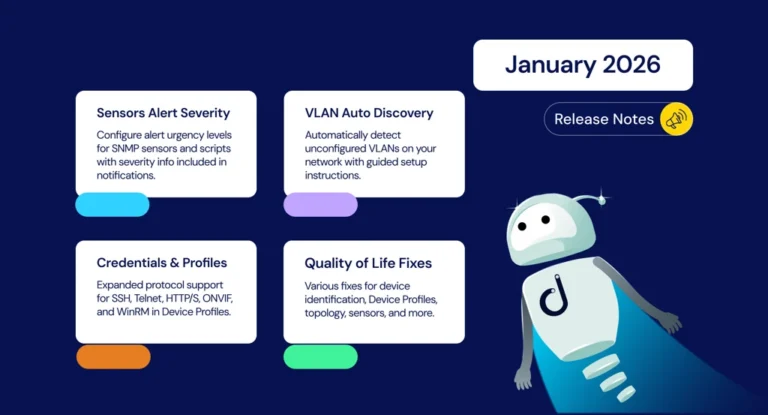
We’re kicking off 2026 with a strong set of updates designed to give you greater control and visibility across your monitoring environment. Highlights include Alert Severity for Sensors, which lets you configure and communicate the urgency of alerts, and Automatic Unconfigured VLAN Detection to help surface VLANs discovered on your network. We’ve also expanded credentials support in Device Profiles, enabled Topology Snapshots, and delivered a range of UI refinements and bug fixes throughout the platform.
New Features and Integrations
Alert Severity for Sensors
You can now configure alert severity levels when defining new alert configurations for SNMP Pre-Configured Sensors and Scripts. Severity information is also included in email notifications and other notification channels, helping you prioritize and triage issues more effectively.
Automatic Unconfigured VLAN Detection
The Devices List now displays unconfigured VLANs that Domotz automatically detects on your network, complete with instructions on how to set up monitoring. If preferred, you can disable VLAN auto-discovery from the dedicated panel.
Topology Freeze/Snapshot
The Topology Freeze/Snapshot feature is now enabled, giving you a stable, known-good view of the network when needed. Until now, Domotz continuously recalculated topology in real time to keep visibility up to date, but in environments with frequent short-lived disconnections this behavior could cause usability issues: device flapping or intermittent connectivity (common with wireless radios and sometimes switches) repeatedly triggered recalculations, disrupting parent-child relationships and making root cause analysis difficult.
With Topology Freeze/Snapshot enabled, users can freeze a consistent topology for troubleshooting instead of dealing with a visually “moving” map driven by transient, non-critical variations (for example, bridge table timing or latency effects) that do not warrant a full recalculation. The Public API endpoint and Export capability have also been aligned so that, when the snapshot is enabled, they reflect the frozen topology snapshot rather than the continually changing real-time view.
New MIB Support
- Sangfor HCI 6.xx versions (Converged Infrastructure)
Enhancements and Improvements
Credentials Module Enhancements
The Credentials Module in Device Profiles has been expanded to support additional protocols:
- SSH
- Telnet
- HTTP / HTTPS
- ONVIF
- WinRM
The system now also handles devices that are already unlocked when a Profile with credentials is applied.
Devices List and Network Tree Improvements
- VLAN and Physical Network items are now separated in the Network Tree
- Improved UI scalability on smaller screens, including the ability to collapse the Device List actions panel
- Extended Setup Review with Coachmark experience for Locked Configuration Management
- Blacklisted Devices are now excluded from asset-tree counters
- Side panels can now be closed using the ESC key
- Aligned tooltips and wording for Device “Full View”
VLAN Auto-Discovery Improvements
- Unconfigured VLANs are hidden from the Asset Tree when VLAN auto-discovery is disabled
- Improved VLAN device names in the UI
Configuration Management Improvements
- Improved recognition of Configuration Management capability on Fortinet devices
- Improved Configuration Management support for Juniper devices
Monitoring Dashboard Updates
- Increased the existing limit (previously 50) for the Monitoring Dashboard
- Removed Metric Consumption Box from the Manage Columns Modal
Account Creation Defaults
- A default “Critical” tag is now automatically created at account creation
- Default Network and Device Shared Alerts are now created at account creation
Fixes
Device Identification
- Fixed an issue where Apple Watch devices were incorrectly marked as AV/Important type
- Fixed HP device model identification
- Fixed Ubiquiti AirRouter device identification
Device List and UI Fixes
- Fixed performance issues with Inventory filter actions
- Fixed an issue preventing Marketplace Users from adding Managed Devices from the Topology
- Fixed an issue with Custom Filters not working correctly when created from the Profiles page
- Fixed an issue where the Profiles menu item was visible to users without the related permission
- Fixed an issue where the Devices List was not updating after adding a device to the Blacklisted list
- Fixed an issue with the Bulk operations panel not closing when navigating through the main menu
- Fixed an issue with Device Detail view not performing proper redirection when a device was deleted
Device Profiles
- Fixed an issue where Tags selection was not working in the Inventory view after applying a Device Profile with tags
- Fixed an issue where TCP and Shared Alerts did not appear after being configured in Device Profiles
- Fixed an issue where the Shared Alert module displayed an erroneous “No Monitored Events” message
- Fixed an issue with the Notifications button not being visible
- Fixed an issue with Device Profiles application when no modules were configured
Network Topology Fixes
- Fixed an issue where Device detail could not be opened directly from the Network Topology
Sensors and Alerts Fixes
- Fixed an issue with Sensors/Scripts alerts configuration that resulted in an error or failed to persist
- Fixed an issue with Personal Alerts configuration being inaccessible for Field Operator users
- Fixed an issue with CSV Download from Sensor Tables not working
Collector and Configuration Fixes
- Fixed an issue in Collector Settings/Monitoring Configuration view that prevented proper changes to Managed Devices
- Fixed an issue with Collector Settings view refreshing too quickly, making it unusable
- Fixed an issue with Custom Status Time Windows not being saved as expected on Grouped Interfaces devices
PDU and Integration Fixes
- Fixed an issue where not all devices appeared for mapping on PDU outlets
Configuration Management Fixes
- Fixed an issue with Configuration Management on Watchguard devices not performing periodical backups as expected
Integration Script Fixes
- Fixed an issue with the Dell iDRAC Integration Script that had a too-short SSH timeout
- Fixed an issue with the Meraki Device Status Integration Script that had an incorrect parameter name
Other Fixes
- Fixed an issue with Apple Push Notifications
Network Collector Updates
Version 8.0.3 — Docker, Linux Snap
- Added capability to extract SNMP raw binary data through custom scripts
- Fixed issue with SNMP bulk operations that did not re-trigger data reading on the Collector