
Domotz Cresnet Integration
Thanks to our partnership with Crestron™, Domotz allows you to view which Crestron/Cresnet devices are connected to your network via Crestron Hubs.
How to set up the Domotz Cresnet Integration
You are currently able to view basic device data including status as well as reboot certain Cresnet devices. Alerts are not yet supported but are planned for future releases.
Cresnet Device Status Screen 1. The title at the top displays "Cresnet," indicating the software or system being used.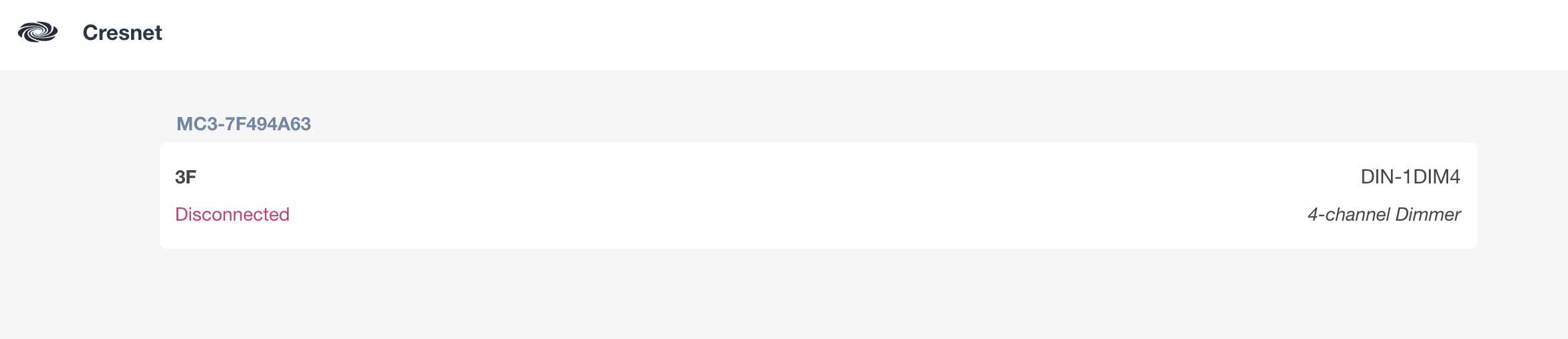
2. A device identifier, "MC3-7F494A63," is shown, representing a specific device or interface connected to the system.
3. The status "Disconnected" in red indicates the device is not currently connected.
4. The label "3F" might represent a location or designation within the system.
5. "DIN-1DIM4" refers to a 4-channel dimmer unit, likely detailing the type of device or hardware being referenced.
Device Details and Status Overview 1. The device is identified as Cresnet, model DIN-1DIM4.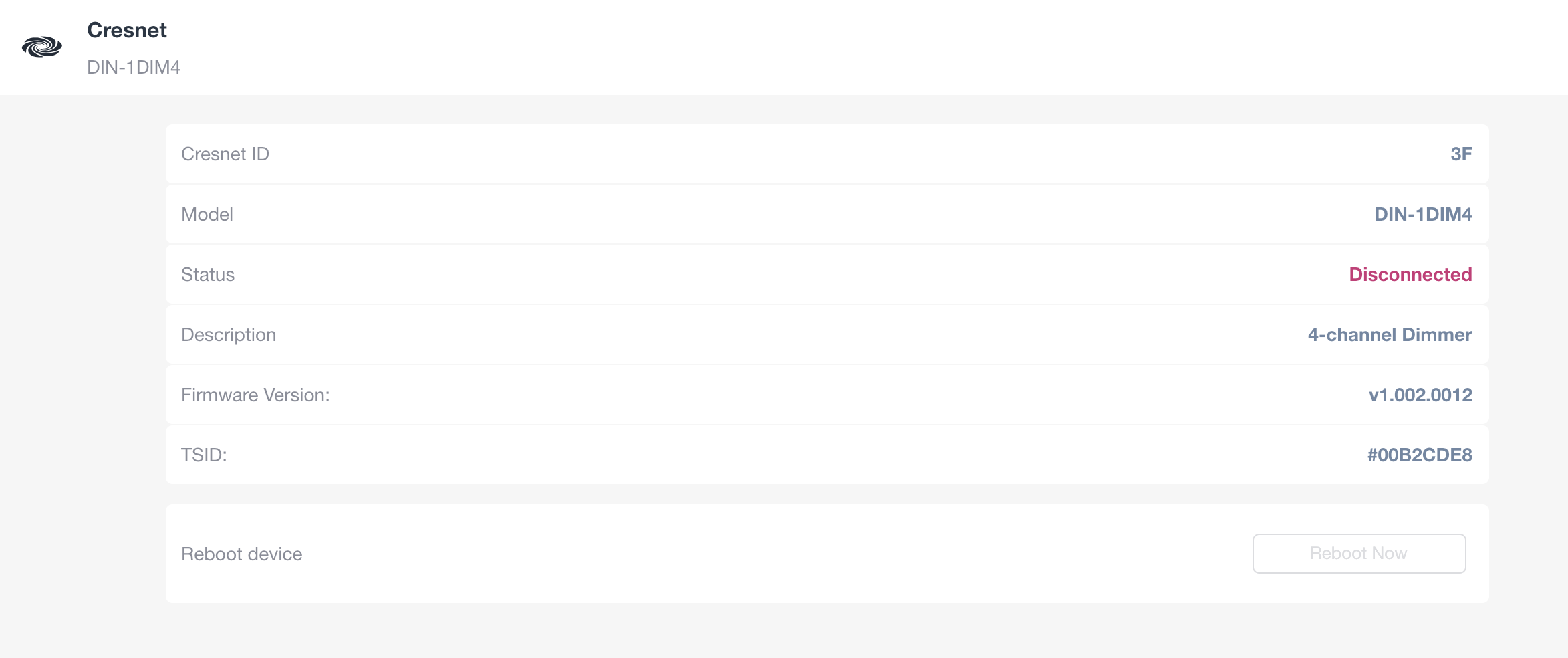
2. Cresnet ID is listed as 3F.
3. Model number is DIN-1DIM4.
4. Current status is "Disconnected," indicating the device is not connected.
5. Description shows "4-channel Dimmer."
6. Firmware version is v1.002.0012.
7. TSID is #00B2CDE8.
8. A "Reboot device" section is shown with the "Reboot Now" button disabled, indicating the device cannot be rebooted at this time.